Order and book, side by side
Link to your ordering site, your delivery apps and your reservations page. Feature whichever matters most today.
Learn more about link stylesSomeone sees your special on Instagram and wants it tonight. Send them straight to the menu, the order page or a table, with this week's special right at the top.
Go live free for 14 days, no card needed. Then $8 a month, or $72 a year.
 Forno MarcoWood-fired since 2011, Bristol
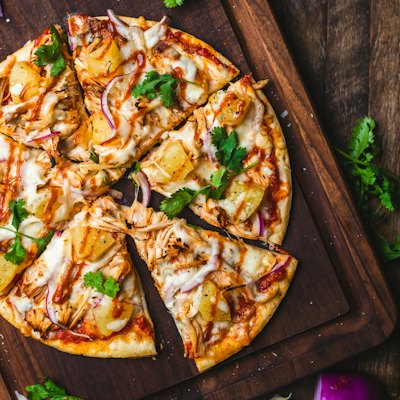 Diavola£12
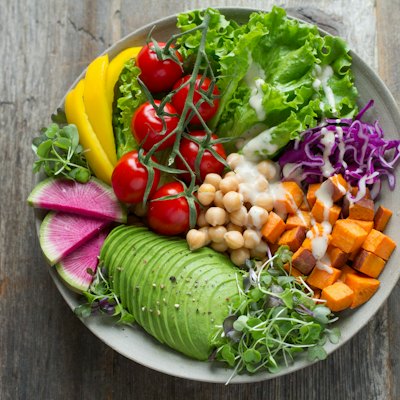 Burrata salad£8Tuesdays: 2 for £20TWOSDAY14 Gloucester RdTue to Sun, 5pm till late
What you can do
What Hiyaly does for restaurants and cafés, and the feature behind each one.
Link to your ordering site, your delivery apps and your reservations page. Feature whichever matters most today.
Learn more about link stylesSchedule a weekend special or holiday menu to show only on the days it runs. No more stale posts at the top of your page.
Learn more about scheduled linksPrint a QR code that opens your page. Guests can find the menu, leave a review link or follow you before the bill comes.
Try the free QR Code GeneratorA photo grid of dishes and the room does more than any description.
Learn more about photo galleriesMessages give you the name, email and details for private hire or catering, instead of a busy DM thread.
Learn more about contact formIdeas for your page
The blocks restaurants and cafés add first. Start with two or three, then swap them as things change.
How to set it up
Claim your restaurant's name. Hiya brings in your logo, bio and links from Instagram.
Link your menu, ordering and bookings, and add this week's special.
Go live on a plan, then put the link in your bio and the QR code on your tables.
Keep exploring
Made for lots of people
Guides and free tools
FAQ
Link to your menu on your website or as a PDF. Hiyaly doesn't have a menu builder, but the link can sit right at the top.
They order through the services you already use. Hiyaly links to your ordering site, delivery apps and reservations page.
Yes. Schedule links to show only between the dates you choose.
Yes. Your business card has a QR code that opens your page, and you can also make one with the link shortener.
Yes. Analytics count taps on each link, so you can see whether people want the menu, ordering or a table.