Start from a theme,end up with yours.
Pick one of 74 themes for a complete look in one click. Then change the wallpaper, buttons, fonts and colours until it feels like you.
Go live free for 14 days, no card needed. Then $8 a month, or $72 a year.
 Lou CarterSurf coach in Lahinch, Co. Clare
 Book a lesson
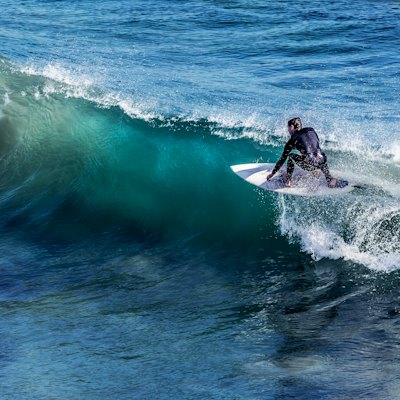 Today's surf reportBoard wax kit€12
 Surf fitness plan€19
 Latest videoSurf tips every SundayYour emailJoinLou CarterSurf coach in Lahinch, Co. ClareBook a lessonToday's surf reportBoard wax kit€12Surf fitness plan€19Latest videoSurf tips every SundayYour emailJoinBook a lessonToday's surf reportBoard wax kit€12Surf fitness plan€19Latest videoSurf tips every SundayYour emailJoin
How it works
Set up in three steps.
- 1
Pick a theme
Browse 74 themes, filtered by light or dark. Each one sets the wallpaper, buttons, fonts and colours together.
- 2
Tweak it
Change the wallpaper, the button style, shape and colours, and the fonts for your page and your name.
- 3
See it as you go
Every change shows on the phone preview straight away, exactly as visitors will see it.
What you can do
Everything it can do.
74 themes, light and dark
45 light themes and 29 dark ones, from quiet looks like Linen and Paper to loud ones like Comic, Acid and Pixel rain. Filter by light or dark and switch whenever you like. A new theme resets your colour and font changes but keeps your header layout, stickers and branding setting.
Wallpaper
Choose a solid colour, a gradient, a soft blur, or one of 33 patterns like gingham, terrazzo, tartan and halftone, each drawn in a shade of the colour you pick. Or upload your own image, or design one in Canva. Video wallpapers are on the way.
Buttons
Four styles (fill, outline, soft shadow and hard shadow) and three shapes (square, rounded and pill). Set the button colour and the colour of the words on it separately.
30 fonts
Sans serif, serif, rounded, display, handwriting and monospace, from Inter and Poppins to Playfair Display, Bebas Neue and Caveat. Give your name its own font and colour so the title stands apart from the rest of the page.
A head start from Hiya
During setup, Hiya picks a starting theme to suit your feed from ten bold looks, each paired with a header layout. Change as much as you like afterwards.
Compare
Hiyaly and the rest.
Themes are where many link-in-bio tools draw the line between free and paid. Here's how Hiyaly compares with Linktree, from its own pricing page.
| Feature | Hiyaly | Other tools |
|---|---|---|
| Every theme | All 74 on Pro, $8 a month | Linktree: core themes free; advanced themes on Pro, $17 a month |
| Your own wallpaper | Image wallpapers on Pro | Linktree: wallpapers on Pro |
| Free plan | No; a 14-day free trial with no card | Linktree: yes, with the core themes |
Keep exploring
Goes well with these.
- Header layouts12 ways to show your photo and name at the topSee how it works
- Stickers103 stickers to drop anywhere on your pageSee how it works
- CanvaDesign your photo and wallpaper in Canva, then bring them backSee how it works
- Link stylesAnimated, spotlight and grouped links that stand outSee how it works



Guides and free tools
- 4 min readHow to set up your Hiyaly pageSet up your Hiyaly page step by step: claim your name, let Hiya bring in your links, add the blocks you need, pick a theme, then put the link in your bio.Read the guide
- 4 min readLink in bio ideas: what to put on your pageNot sure what to put on your link in bio page? Ideas for creators, makers, shops and pros, plus how to order them so people tap the thing that matters.Read the guide
- Color Palette GeneratorFive matching colours from one, with HEX, RGB and HSL.Open tool
- CSS Gradient GeneratorLinear, radial and conic gradients as CSS, Tailwind or PNG.Open tool
- Mesh Gradient GeneratorSoft multi-color gradients as CSS and phone or desktop PNGs.Open tool
- Color Contrast CheckerWCAG contrast ratio with AA and AAA results and fixes.Open tool
- NewInstagram Fonts GeneratorBold, script, bubble and 25+ more fancy text styles to copy.Open tool
FAQ
Questions, answered.
How many themes does Hiyaly have?
74: 45 light and 29 dark. Every one is included in Pro, and you can change any colour, font or button after picking one.
Will I lose my changes if I switch themes?
Your colour, font and button changes reset to the new theme's. Your header layout, stickers and branding setting stay as they are.
Can I use my own background image?
Yes. Upload an image as your wallpaper, or design one in Canva and bring it straight back to your page.
Can I match my brand colours exactly?
Yes. Set any colour for the wallpaper, the buttons, the words on them, your page text and your name.
Can I upload my own font?
No. You can pick from 30 fonts across six styles, and use a second one for your name.
Can I use a video as my wallpaper?
Not yet. Image wallpapers work today, and video wallpapers are on the way.