Your code,one tap to copy.
Add a discount block with your code and a button to your store. Visitors copy it in one tap, and you can ask them to join your list first.
Go live free for 14 days, no card needed. Then $8 a month, or $72 a year.
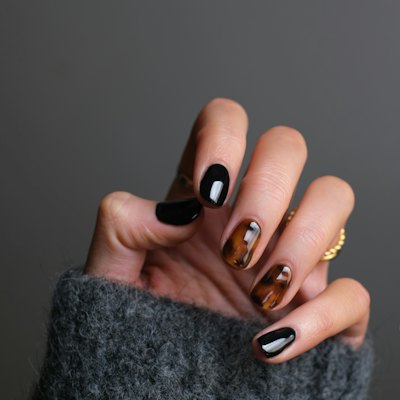
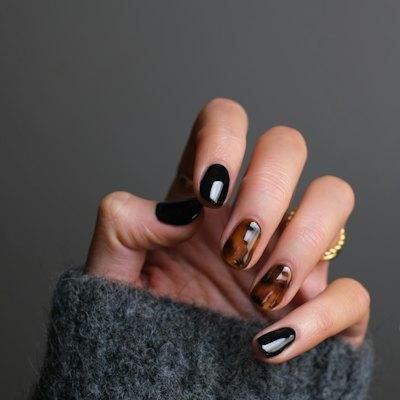
 Nails by JoGel, BIAB and nail art, Bristol
 Book a set
 Your first set, 15% offJOSNAILSPrice listMessage me

How it works
Set up in three steps.
- 1
Add a discount
Pick Discount code from the add menu, type your code and paste your store link. The title and button words are filled in until you write your own.
- 2
Choose who sees it
Leave it open, or lock it: visitors join your list, enter a code you shared, give their date of birth, or confirm they're happy to see it.
- 3
Share it and watch
Visitors copy the code and head to your store. Every trip to the store from the block shows in your analytics.
What you can do
Everything it can do.
Copy in one tap
The discount sits in your list like a link. Tapped, it opens into a coupon with the code and a Copy button, and a button to your store. Codes can be up to 40 characters, and the store link is optional if the code works anywhere.
Five ways to lock it
Ask visitors to join your mailing list, type a code you handed out, give a date of birth showing they're 18 or 21, or simply confirm they're happy to see it. While it's locked, the code stays on our server until the visitor does what you asked, so nobody can read it from the page.
A thank-you for signing up
With the subscribe lock, the code is the reward for joining your list. New sign-ups land on your Hiyaly list with everyone else, and people already on it get the code straight away.
Remembered next time
Once someone unlocks a code, their browser remembers it, so it's there the moment they come back. Unlocking comes with a small pop of confetti.
Make it stand out
Show a picture beside the title, or make it a featured card with the picture big across the top. Add a pulse, shimmer or glow to catch the eye, and schedule it to appear and disappear on its own for a weekend sale.
One block per code
Brand-deal codes, creator codes and launch offers each get their own block, with their own store link and their own numbers. Add as many as you have.
Keep exploring
Goes well with these.
- Scheduled linksLinks that appear and disappear on their ownSee how it works
- Email listCollect sign-ups and send them to Mailchimp, Kit and moreSee how it works
- Link stylesAnimated, spotlight and grouped links that stand outSee how it works
- NewShopSell downloads and take tips, with 0% platform feesSee how it works





Guides and free tools
- 4 min readHow to sell from your link in bioUse your link in bio to sell more: lead with one product, link to the shop you already use, share codes, run timed drops and answer questions before people buy.Read the guide
- 4 min readHow to grow your email list from your bioTurn bio visitors into email subscribers. Where to put a sign-up, what to offer, how to write it, and how to get the emails into the tool you already use.Read the guide
- Discount CalculatorSale price, savings and percent off, with stacking and tax.Open tool
- Gift Voucher MakerPrintable gift cards with a code, expiry and QR code.Open tool
- Affiliate Commission CalculatorAffiliate earnings and EPC, two programs side by side.Open tool
- NewQR Code GeneratorFree static QR codes in PNG and SVG, no watermark.Open tool
FAQ
Questions, answered.
Can I hide a discount code until someone signs up?
Yes. Lock it with Subscribe and visitors enter their email to see the code. They join your mailing list, and anyone already on it gets the code right away.
Can people find a locked code in the page source?
No. While a discount is locked, its code isn't sent to the page at all. Our server hands it over only once the visitor has done what the lock asks.
Can I run a discount for a limited time?
Yes. Schedule the block with a start and an end, and it appears and disappears on its own. Your store still decides when the code itself stops working.
How many discount codes can I add?
As many as you like. Each code is its own block, with its own store link and its own count of visitors heading to the store.
Does Hiyaly take a cut of sales made with my code?
No. The code sends people to your own store and the sale happens there. Hiyaly takes nothing from it.
Is the age lock a real ID check?
It asks for a date of birth and only shows the code to visitors old enough for it. Like most age gates, it trusts what the visitor types; it doesn't check ID.