Most creators don't need more tools. They need the right few, set up well. A link page, a bio that earns the tap, a QR code for anything printed, a way to see what works, and somewhere to collect emails and payments. That's the whole kit.
Here's each one: why it matters, what to do, and a free tool for the job. Every tool runs in your browser with no sign-up, so this is useful even if you never make a Hiyaly page. Then, what you can skip.
The kit at a glance
| What you need | Why | Free tool |
|---|---|---|
| One link page | Your bio only holds a link or two | A Hiyaly page |
| A bio people tap | It decides whether they visit at all | Instagram Bio Generator |
| A QR code | For print, merch and events | QR Code Generator |
| Tagged links | So you know which app sends people | UTM Link Builder |
| Simple analytics | So you know what gets tapped | CTR Calculator |
| An email sign-up | Followers come and go, a list stays | Hiyaly's sign-up block |
| A way to get paid | Sales and tips without a detour | PayPal.me Link Generator |
| A booking link | If people pay for your time | Add to Calendar Link |
You don't need all eight on day one. Start with the first four and add the rest when you have something to sell or someone to email.
One page, a few links
Your profile link is the one door from an app to everything else you do. A link page turns it into a small menu. The usual mistake is treating that menu like a filing cabinet.
Keep it short. Three to six links is plenty for most people. Every extra link makes the others a little less likely to be tapped, because people skim, then pick, then leave.
Put the important one first. Decide the one thing you most want visitors to do this week: buy the new print, hear the new single, book a session. That goes at the top, and if your tool lets you, make it larger than the rest.
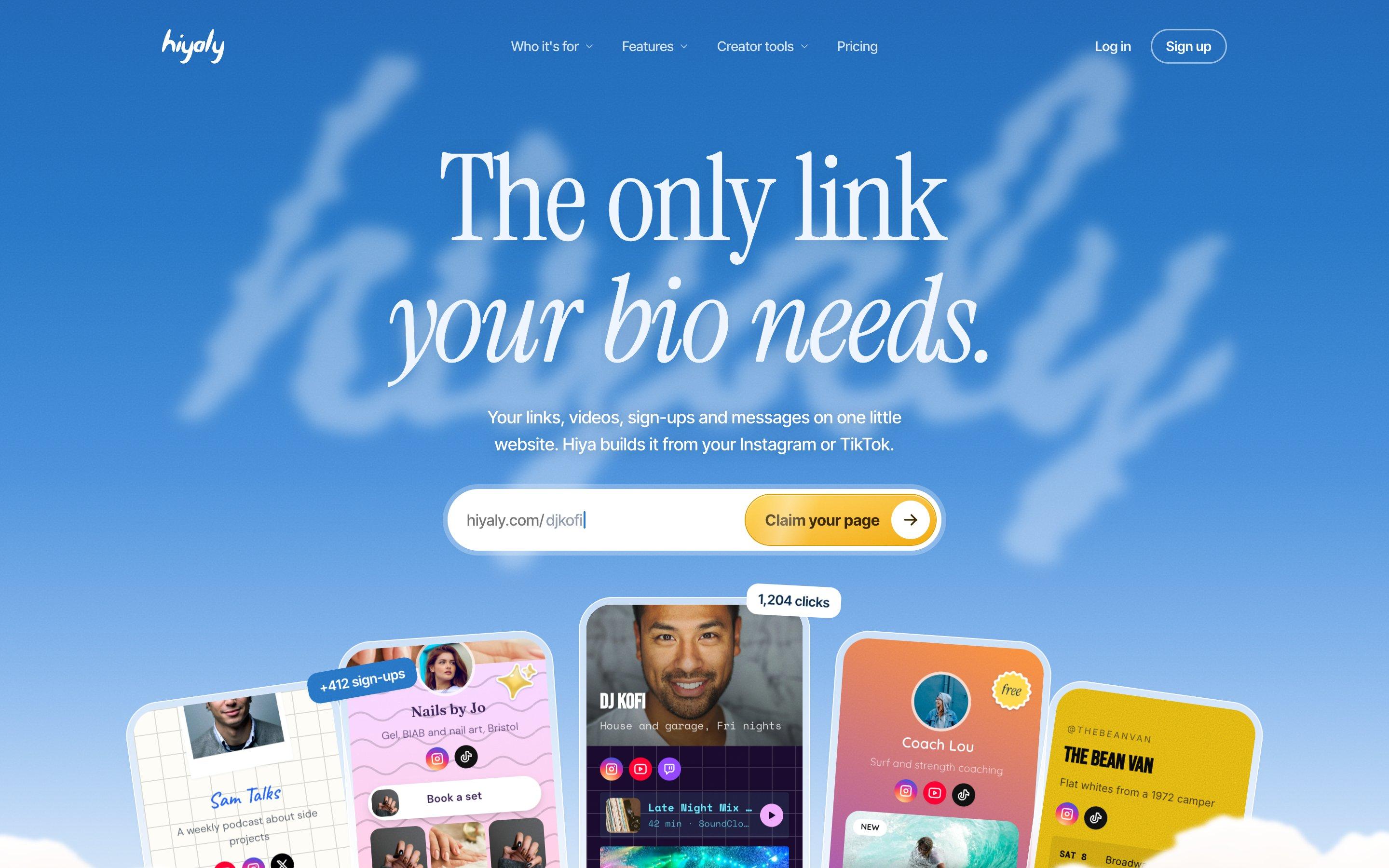
 Nails by JoGel, BIAB and nail art, Bristol
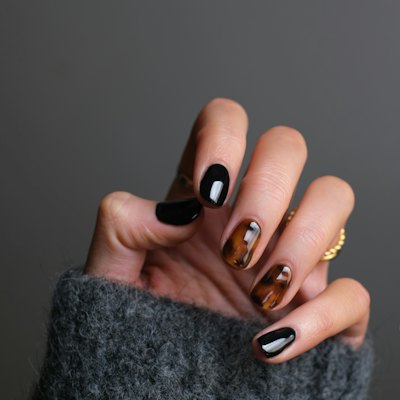 Book a set
 Your first set, 15% offJOSNAILSPrice listMessage me

 Tour dates
 Bookings
Both pages lead with one thing: Jo's with booking, Kofi's with his latest mix. Everything else waits below.
A few habits that keep a page working:
- Write link titles that say what happens. "Book a 30-minute call" beats "Click here".
- Check the page on your phone, in daylight, before you share it.
- Change the top link when your goal changes. It's a menu, not a monument.
- Look at your clicks after a week and cut what nobody taps.
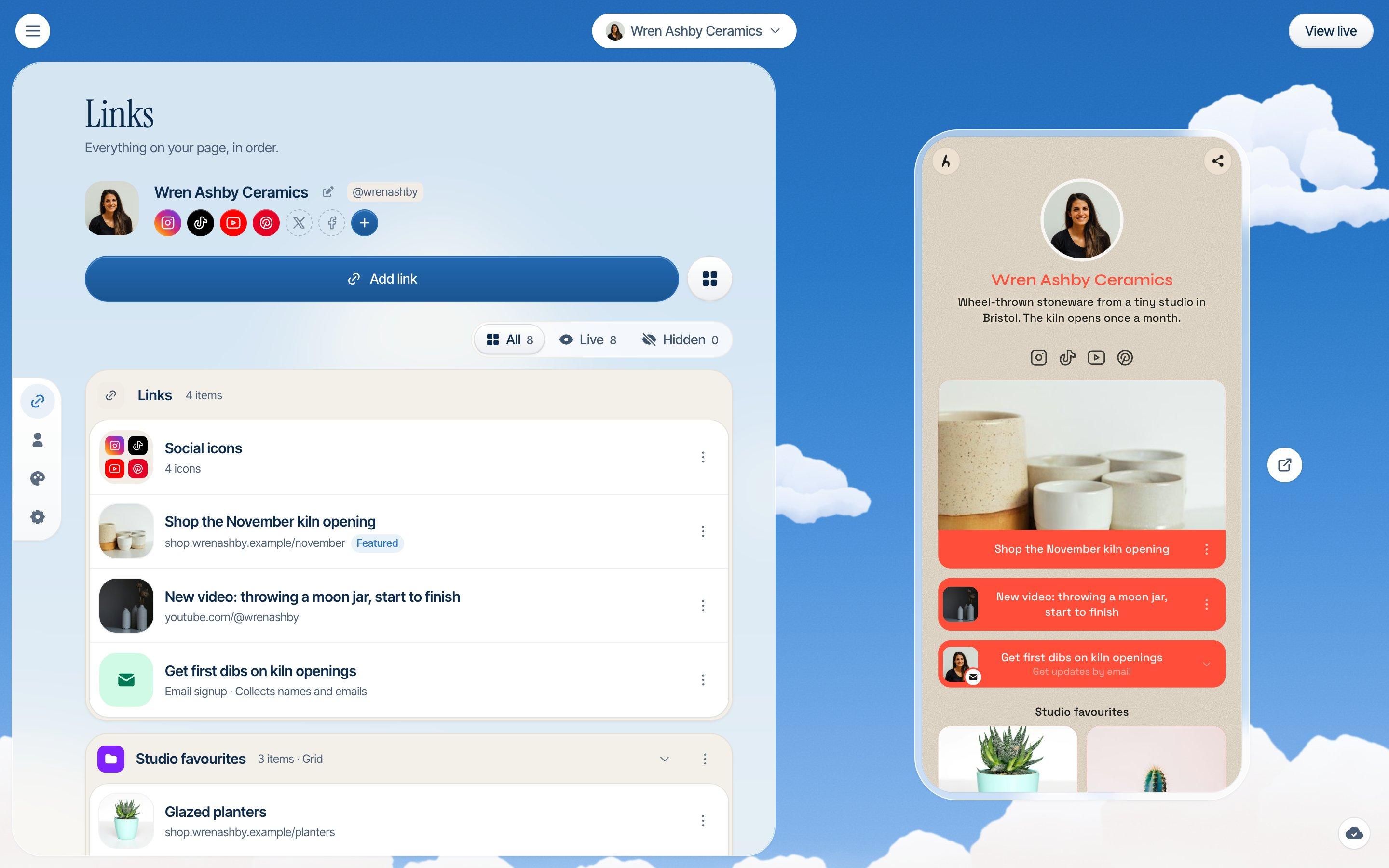
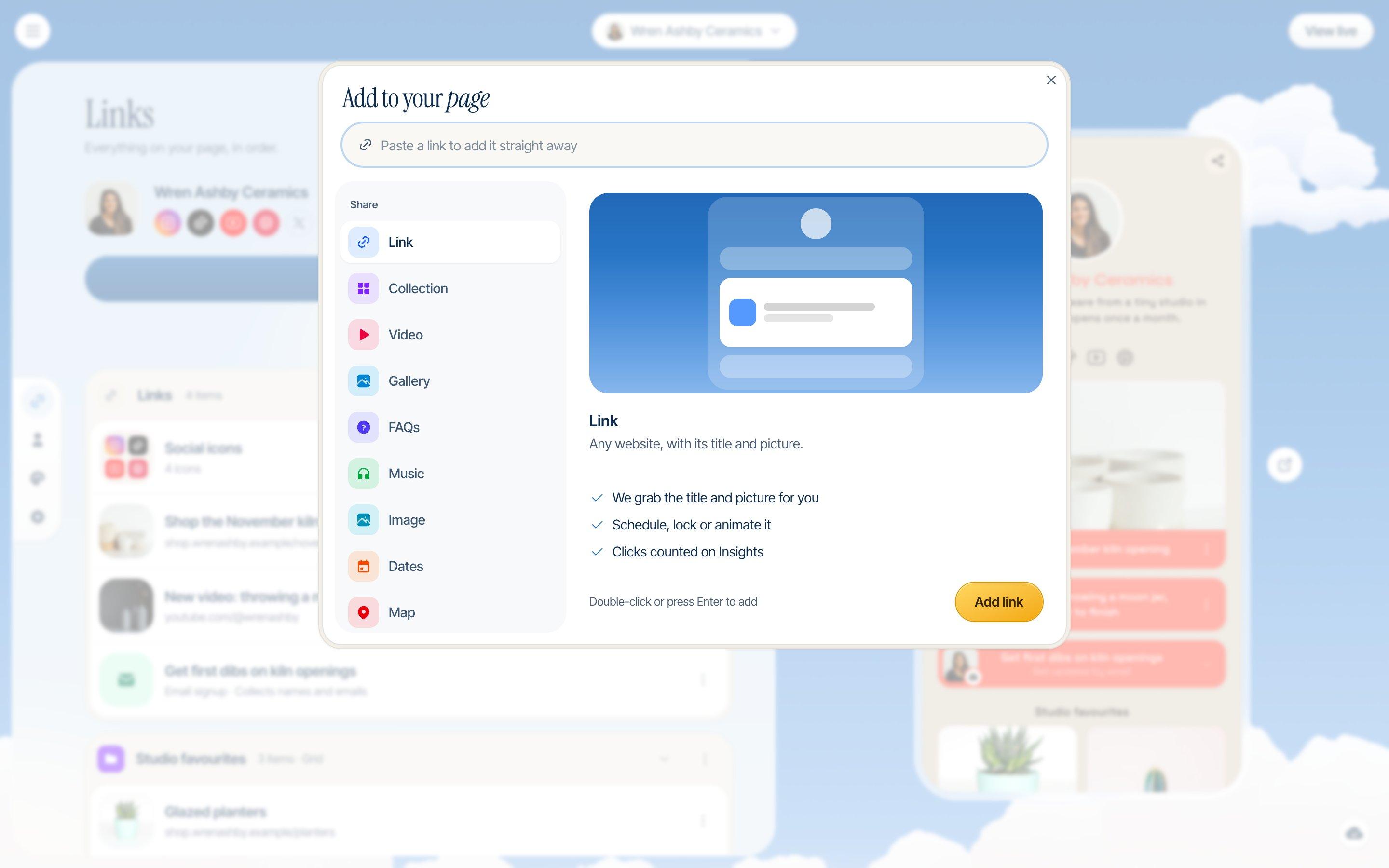
On Hiyaly, a page is a stack of blocks you drag into order. Links can be scheduled to appear and disappear on their own, and a spotlight link shows as one big card at the top. Our guide to link in bio ideas has lists of what to put on yours, grouped by goal.
A bio that makes people tap
Nobody reaches your link page without reading your bio first. On Instagram you get 150 characters, on TikTok 80. That's a sentence or two to say who you are, what people get by following, and why they should tap the link.
A simple shape works almost everywhere:
- What you do, in plain words.
- Who it's for, or what you post.
- One thing that makes you specific: a place, a schedule, a result.
- One call to action that points at your link.
Ask for one thing. "Shop, book, subscribe and DM me" is four asks, and people tend to do none of them. Let the link page hold the options, and let the bio say where to tap: "New prints below" is enough.
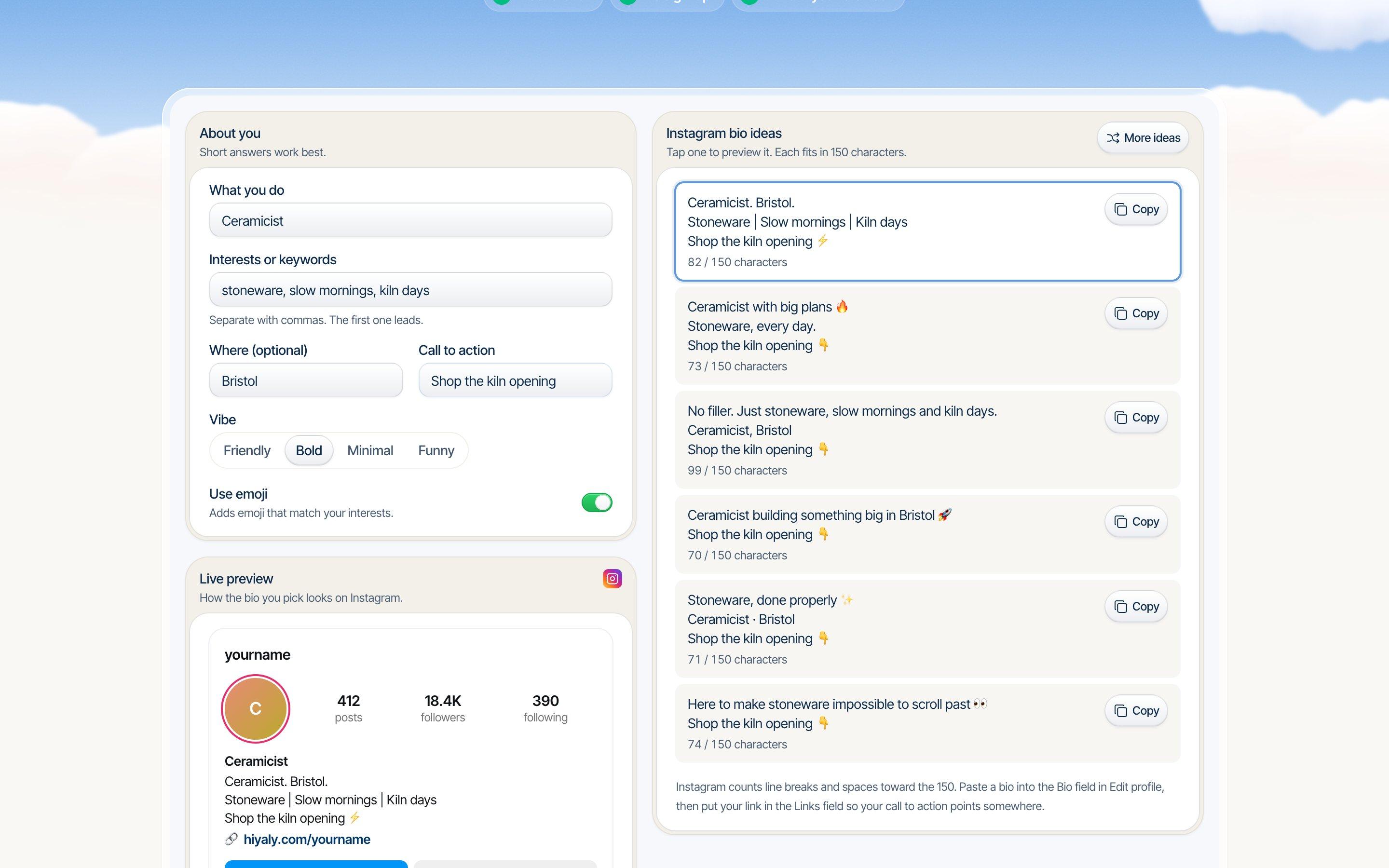
The Instagram Bio Generator gives you six ideas from what you do and a call to action. If you post in more than one place, check the length against every app at once before you paste.
- NewInstagram Bio GeneratorBio ideas that fit Instagram's 150 characters.Open tool
- TikTok Bio GeneratorShort, punchy TikTok bios that fit in 80 characters.Open tool
- Bio Length CheckerYour bio's length against 8 platform limits at once.Open tool
- Instagram Line Break GeneratorKeep the blank lines and spacing in your captions.Open tool
A QR code for the real world
Your link in bio only works inside an app. A QR code carries it onto a poster, a business card, the back of a T-shirt, a market stall or the last slide of a talk. People point their camera at it and they're on your page.
Make a static code. A static QR code stores your link in the pattern itself, so it keeps working for as long as the link does. Some free generators make dynamic codes instead, which run through their own redirect and can be switched off after a trial. That's a nasty surprise on 500 printed flyers.
Point it at your link page, not a single post. Then you can change what's on the page whenever you like, and the printed code never has to change.
A few rules for codes that scan first time:
- Dark code on a light background. Navy on white works. Light on dark often doesn't.
- Leave a blank border around it. Scanners use it to find the edges.
- Print it big enough: about a tenth of the distance it'll be scanned from. A table card read from 30 cm needs a 3 cm code.
- Download an SVG for print, so it stays sharp at any size.
- Scan it with two different phones before you send anything to the printer.
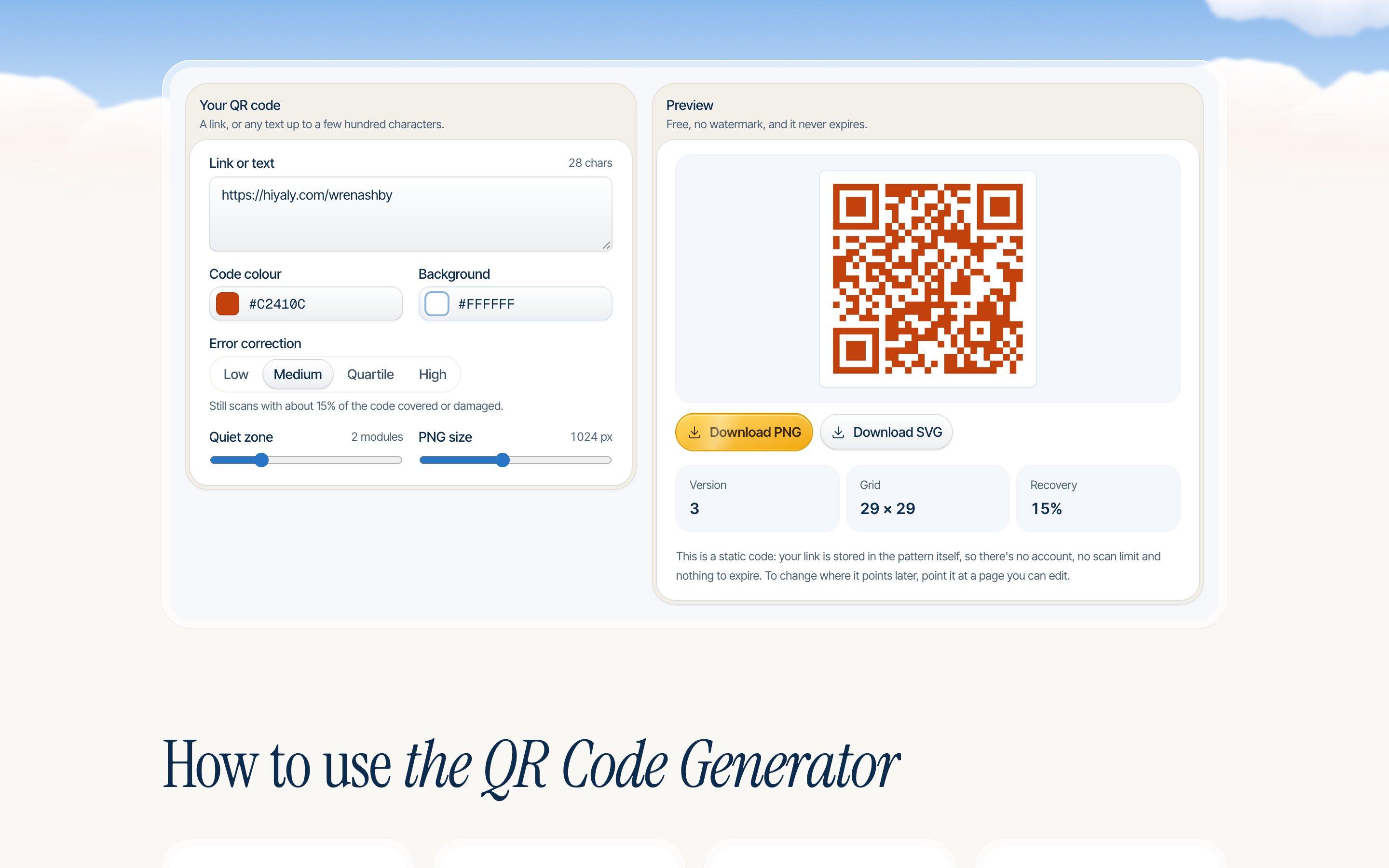
- NewQR Code GeneratorFree static QR codes in PNG and SVG, no watermark.Open tool
- NewQR Code with LogoYour logo in the middle of a QR code that still scans.Open tool
- NewBusiness Card MakerA print-ready 3.5 × 2 in card with an optional QR code.Open tool
- vCard QR Code GeneratorA QR code that saves your contact details in one scan.Open tool
On Hiyaly, Hiya offers a QR code for your page at the end of setup, and the Business cards tool in your dashboard makes a card with your name and a QR code you can download or print.
Short links with UTM tags
Post the same link on Instagram, TikTok and in your newsletter, and you can't tell which one sent people. In-app browsers often hide where a click came from, so visits land in your analytics as "direct".
UTM tags fix that. They're a few words on the end of a link, like utm_source=instagram, that tell Google Analytics where a visit came from. The page looks exactly the same.
What to do:
- Make one tagged link per place. One for your Instagram bio, one for TikTok, one for the newsletter.
- Use lowercase for everything. Google Analytics counts "Instagram" and "instagram" as two different sources.
- Don't tag links between pages of your own site. It overwrites where the visit really came from.
- Strip other people's tracking tags before you share their links, so your clicks don't count toward their campaign.
Tagged links are long, which matters anywhere people type them by hand. A short link fixes that, and a good one counts its clicks too.
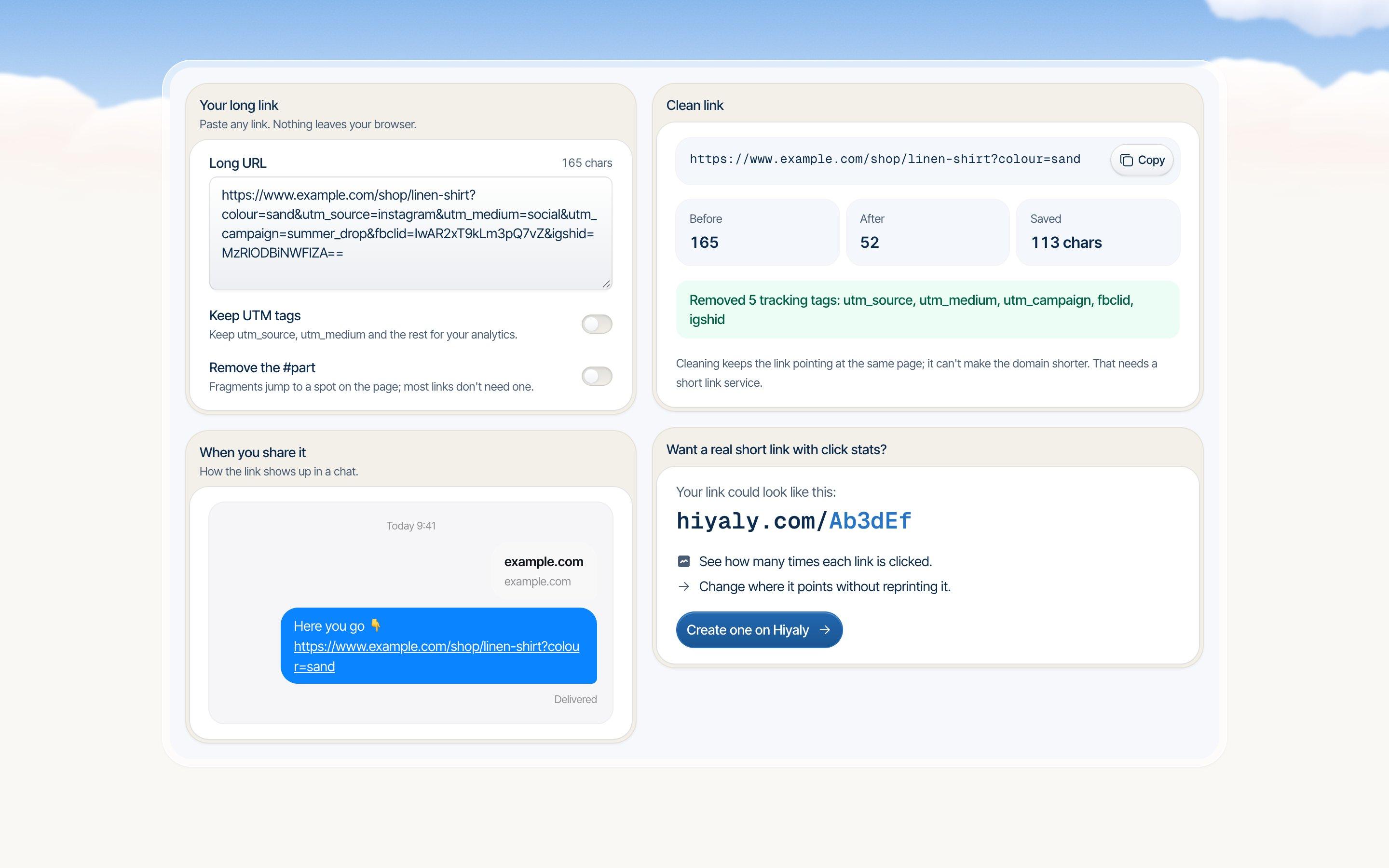
- NewUTM Link BuilderTag links with UTM codes so you know what drove each visit.Open tool
- Link Shortener & URL CleanerStrip tracking tags from a link, then make it short.Open tool
Hiyaly pages can do both for you. Switch on Tag traffic as social and every link leaving your page gets utm_source=hiyaly, utm_medium=social and a campaign named after the link, so your shop's analytics shows which button each visitor tapped. The link shortener in your dashboard makes short links with click counts and a QR code each, and you can change where a short link goes without reprinting anything.
Simple analytics
You don't need forty charts. You need three answers: how many people visited, what they tapped, and where they came from. Check weekly, not hourly.
What to look at:
- Clicks per link. Move the popular ones up. Cut or rewrite the ones nobody taps.
- Sources. If TikTok sends three times the visits Instagram does, that's where your bio deserves the most care.
- Click rate. Clicks divided by views. It tells you whether a new title or a new top link actually helped.
The CTR Calculator works out your click rate from link taps and profile visits, and shows how many more clicks a better rate would bring.
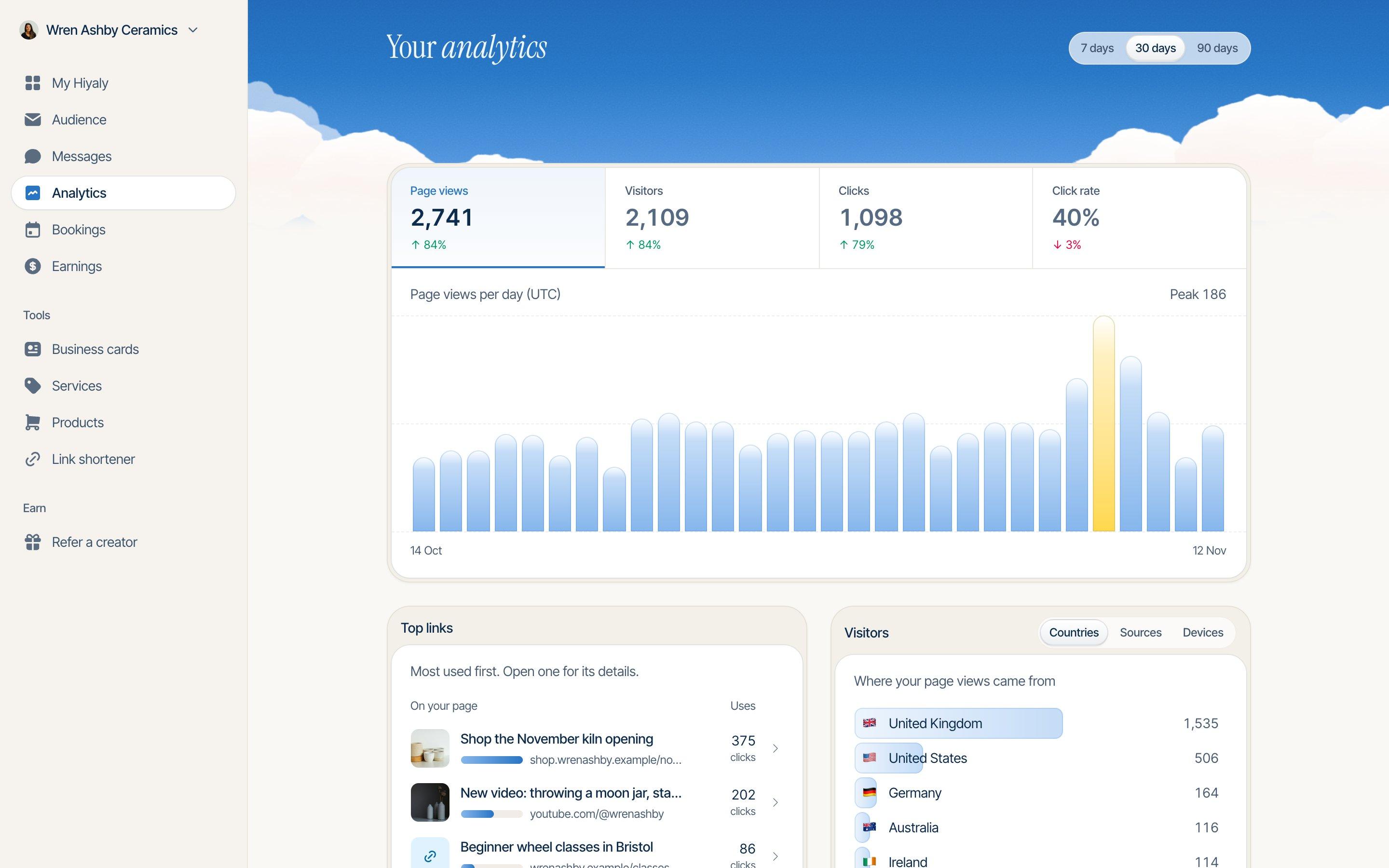
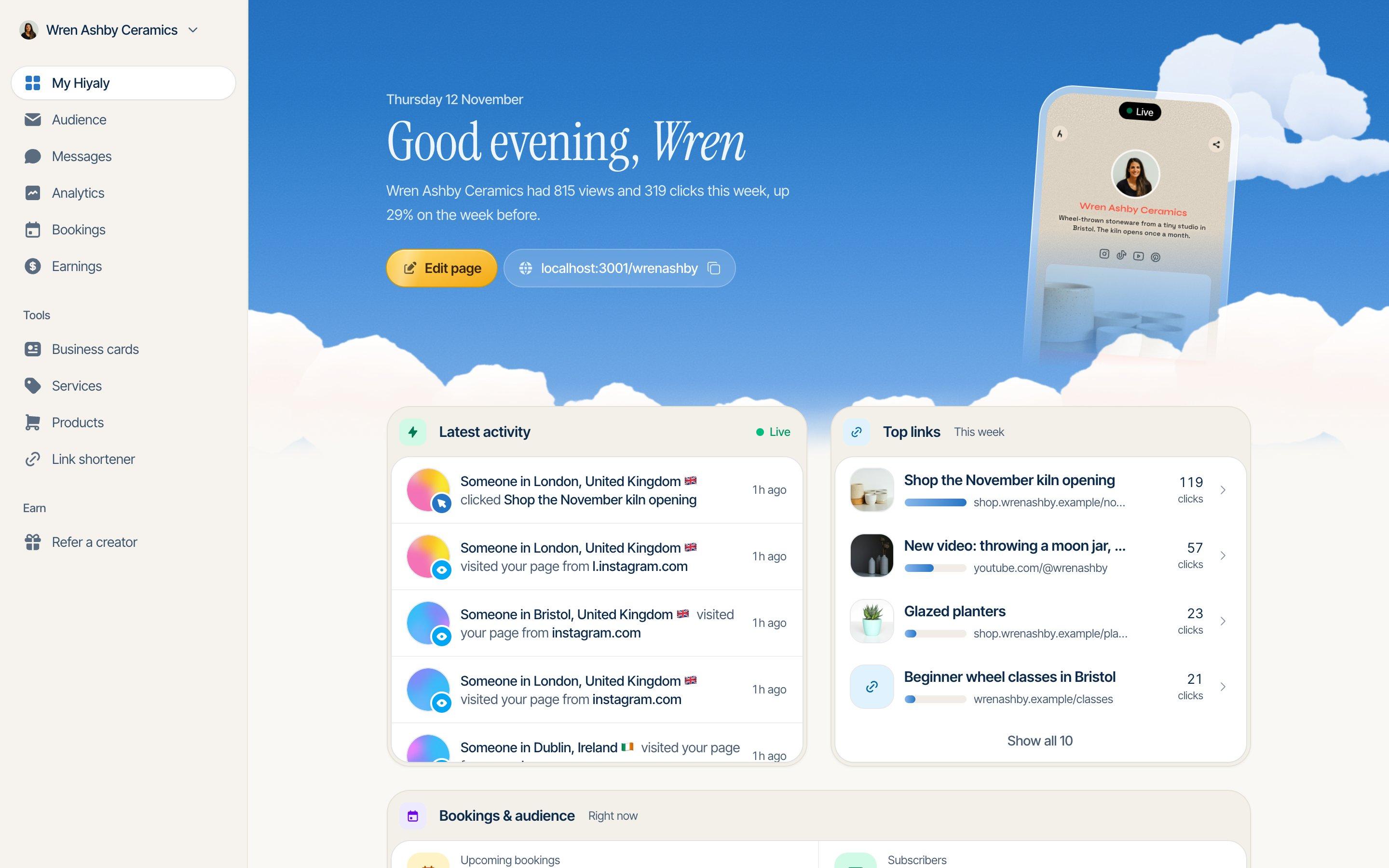
Every Hiyaly page has analytics built in. It starts counting when you publish, covers the last 7, 30 or 90 days against the period before, filters out known bots, and stores no IP addresses. If you already use Google Analytics 4 or a Meta Pixel, you can add those too.
- CTR CalculatorYour click-through rate, a benchmark and what a better CTR adds.Open tool
- Engagement Rate CalculatorYour engagement rate by followers or reach, with benchmarks.Open tool
An email sign-up
Your followers live on someone else's app. If it changes how posts are shown, or your account gets locked, they're gone. An email list is the audience you own.
You don't need a newsletter plan to start. You need a sign-up box and one good reason to join, like "One email when a new print drops". Say what people get and how often.
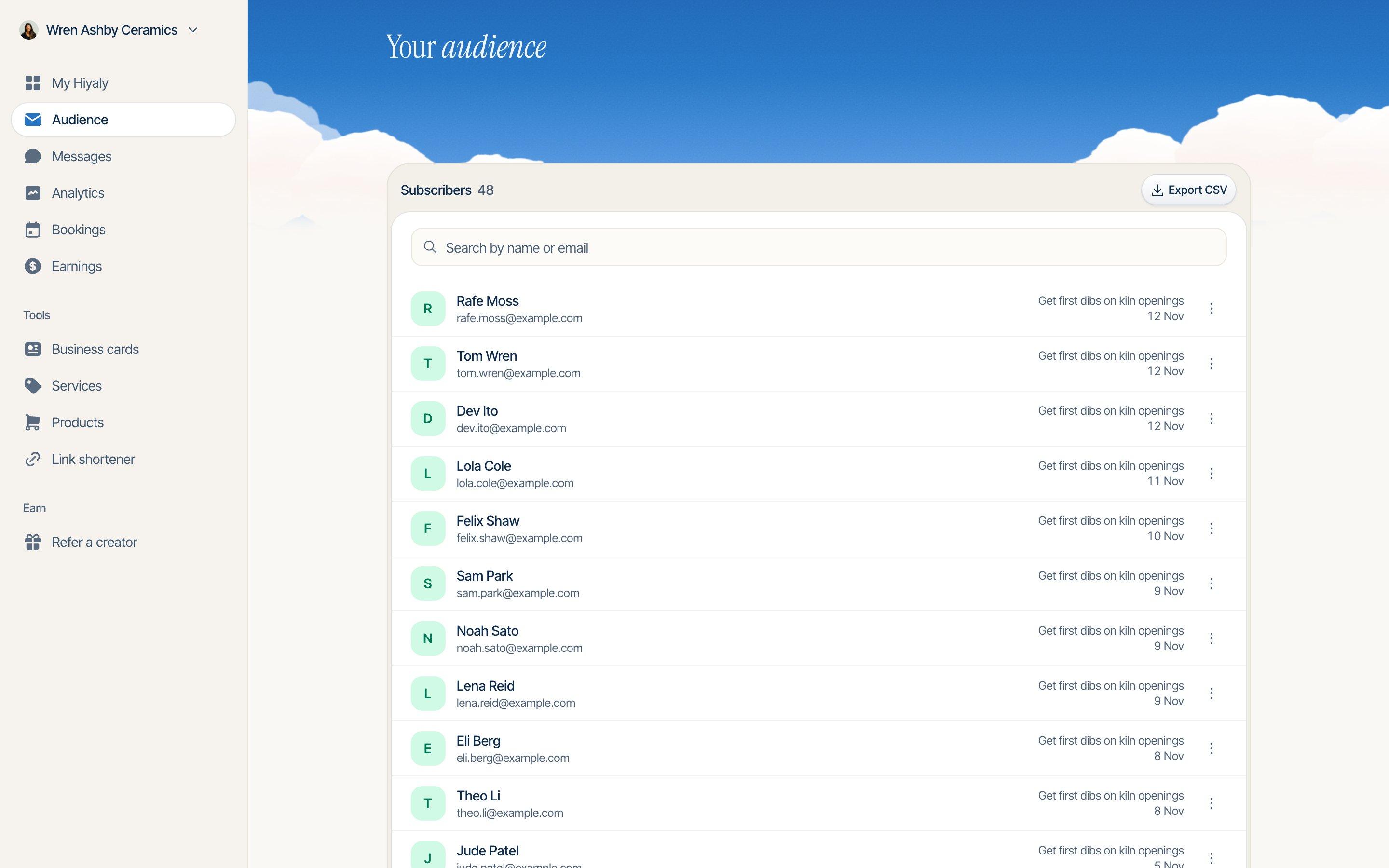
On Hiyaly, an email sign-up block collects names and emails on your page and can send each one to Mailchimp, Klaviyo, Kit, beehiiv, Flodesk or Google Sheets as they join. You can also lock a discount code until someone signs up. Hiyaly doesn't send newsletters itself, and you can export the whole list as a CSV any time. Our guide to growing your list has more ideas for what to offer.
- Email Subject Line TesterScore a subject line and see how it looks in an inbox.Open tool
- NewVideo Hook GeneratorOpening lines that stop the scroll on short videos.Open tool
A way to get paid
If you sell anything, or people want to say thanks, make paying one tap from your page. Every extra step between "I want this" and "paid" loses people.
The simplest version is a payment link. A PayPal.me, Venmo or Cash App link with the amount filled in works for tips, deposits and small sales. Before you set a price, work out what the payment fees take, so you know what you actually keep.
- NewPayPal.me Link GeneratorPayPal.me links with the amount filled in, plus a QR code.Open tool
- Stripe Fee CalculatorStripe fees, what you keep, and what to charge.Open tool
A Hiyaly page can sell downloads and take tips with checkout on the page itself. Payments run through your own Stripe account, Hiyaly takes 0% of each sale, and buyers get their file by email. For physical products, link to the shop you already use. See selling from your bio for the full walk-through.
A booking link, if you sell time
Coaches, stylists, tutors, photographers: if people pay for your time, "DM me to book" costs you clients. People want to see a free time and take it.
What to do:
- Offer two or three services at most, each with a clear length and price.
- Show only the times you're really free.
- Ask for payment up front on paid sessions, so no-shows don't cost you.
- Set a cut-off for moving or cancelling, and say what it is.
Hiyaly's bookings block shows free times from your Google Calendar, adds a Meet link to every call, and takes payment for paid sessions through your own Stripe at 0% platform fees. If you already use another booking app, add it as an ordinary link instead.
- Add to Calendar Link GeneratorCalendar links and an .ics file for any event.Open tool
- Hourly Rate CalculatorYour freelance hourly, day and project rate.Open tool
What you can skip
Most advice adds things. Here's what to leave out.
- Thirty links. Nobody scrolls a page of thirty buttons. If you can't choose, your visitors won't either.
- Ten animations. One moving link draws the eye. Ten make the page look like a slot machine, and nothing stands out.
- A separate app for every job. A link page, a newsletter form, a shop, a booking tool and a tip jar, each with its own login and bill, adds up fast. Use fewer where one does the job.
- Dynamic QR codes you rent. Unless you need to change the destination, a static code pointed at your page does the same job for free, forever.
- Daily stats checks. Numbers from one day are noise. Look weekly and change one thing at a time.
- Every social icon you own. Link the two or three places you actually post. A dead account you haven't touched since 2021 isn't a good look.
Your checklist
If you only do this, you're ahead of most pages out there:
- One link page with three to six links, the important one first.
- A bio with one clear ask that points at the link.
- A static QR code for anything you print.
- A tagged link for each place you share, in lowercase.
- A look at your clicks once a week, and one change at a time.
- An email sign-up with a clear reason to join.
- Payments or bookings one tap away, if you sell something.
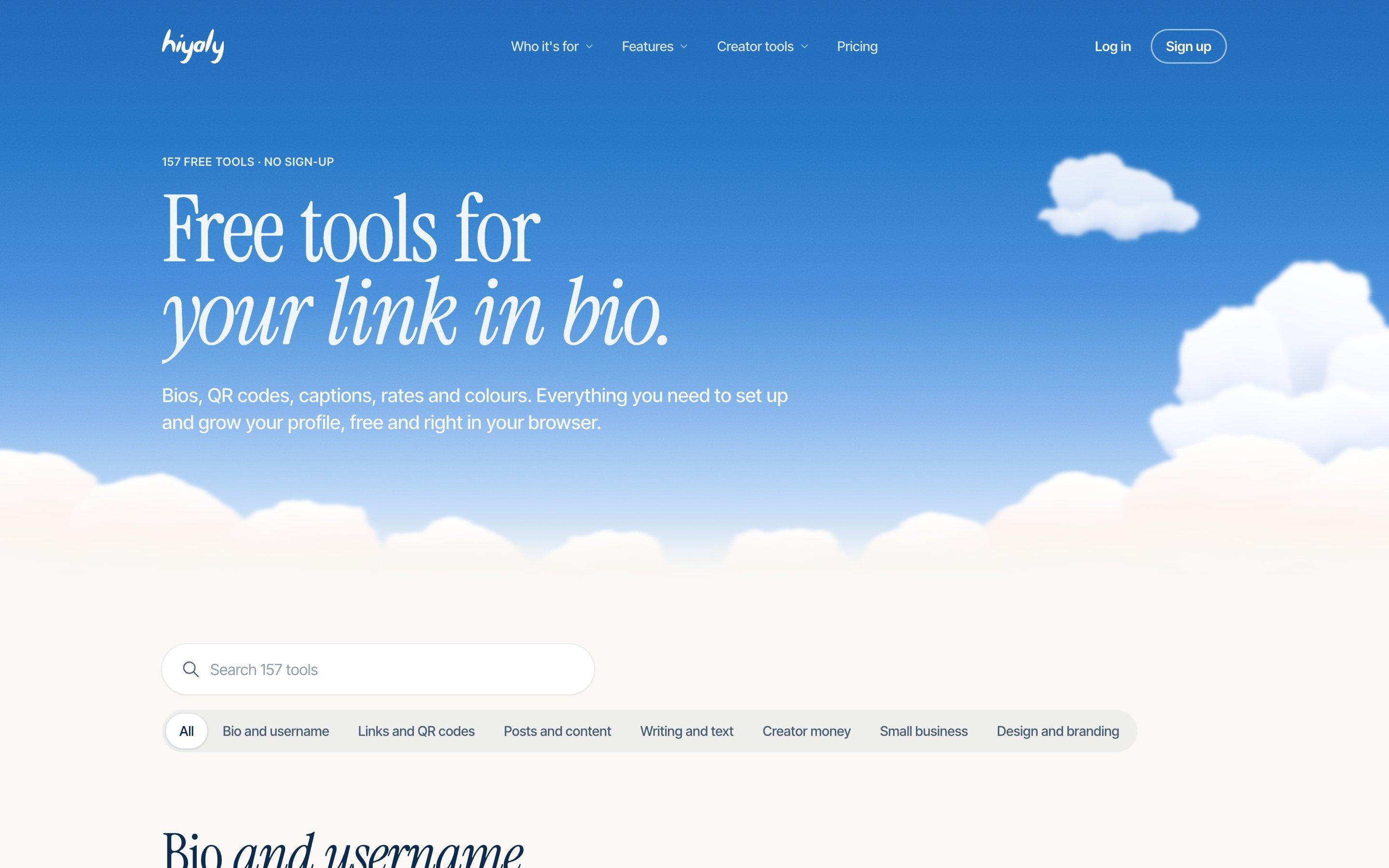
All the tools above are free at hiyaly.com/tools, with no sign-up. If you'd like the page, the sign-ups, the shop and the stats in one place, a Hiyaly page is $8 a month on Pro, and your first 14 days are free with no card needed.
One page forall of it.
Go live free for 14 days, no card needed. Then $8 a month, or $72 a year.
Frequently asked questions
What are the best free link in bio tools?
You need fewer than you think: a bio generator to write a bio people tap, a QR code generator for print, a UTM builder so you know which app sends visitors, and a link page to hold it all. Hiyaly's free tools cover the first three with no account needed.
How many links should I put in my link in bio?
Three to six is plenty for most people. Put the one you care about most at the top, and cut anything nobody has tapped in a month.
Can I make a free QR code for my link in bio?
Yes. Hiyaly's QR code generator makes static codes in PNG or SVG with no sign-up and no watermark. Static codes store your link in the pattern itself, so they never expire as long as the page is there.
Do I need UTM tags on my bio link?
If you have your own website and use Google Analytics, yes. Apps like Instagram and TikTok often hide where a click came from, and UTM tags carry that answer inside the link.
Do I need a separate app for bookings, a shop and a newsletter?
Not always. Hiyaly pages can take email sign-ups, sell downloads, take tips and book calls into your Google Calendar on one page. If you already use a tool you like, you can link to it instead.
Is Hiyaly free?
The free tools are, with no account needed. A Hiyaly page is $8 a month or $72 a year on the Pro plan, and your first 14 days are free with no card needed. There's no free plan.